Traffic cutover
Experimental feature
This is a new and experimental feature. Please make sure to test it before deploying to production and report any issues you find.
Traffic cutover involves moving application traffic (read and write queries) to the destination database. This happens when the source and destination databases are in sync: all source data is copied, and resharded with logical replication.
Performing the cutover
The cutover can be executed by executing a command on the admin database:
Under typical conditions, the whole process takes less than a second, so applications shouldn't experience any errors or downtime.
Connecting through PgDog
In order for the cutover to work correctly and not lose any data, all applications must connect to the database through PgDog. Any applications that connect to the database directly, or through another proxy, will not receive the cutover signal and will continue to send writes to the source database, causing a split-brain situation.
If you're using the RESHARD command, the cutover step is executed automatically and you don't need to perform any additional steps.
Step by step
PgDog performs the traffic cutover automatically, as the last step in the resharding process, with a sequence of steps:
| Step | Description |
|---|---|
| Pause queries | Stop the source cluster from serving traffic. |
| Synchronize databases | Allow the logical replication stream to drain into the destination database. |
| Swap the configuration | Swap the source and destination databases in pgdog.toml and users.toml. |
| Reverse replication | Set up a logical replication stream from destination database into source. |
| Resume queries | Resume traffic, with all queries going to the sharded cluster. |
Pause queries
In order for the traffic to be safely moved to the new, sharded database, it must contain the same data as the source. However, the source continues to serve write queries, so in order for the two to synchronize, PgDog needs to suspend traffic to the source database for a brief moment, allowing the replication stream to catch up.
To suspend traffic, PgDog turns on maintenance mode. This pauses all queries for all databases in the configuration until the maintenance mode is turned off. Clients will wait, with their queries buffered in their respective TCP connection streams. To the clients, it looks like the PgDog deployment is frozen and not responsive.
Synchronize databases
With the traffic paused, the logical replication stream will drain any remaining transactions into the destination database, bringing the replication lag down to zero. At this point in the cutover process, the two databases are byte-for-byte identical and traffic can be safely moved to the destination database.
Swap the configuration
If something goes wrong after the traffic is moved to the new (destination) database, PgDog has the ability to rollback the cutover step, redirecting the traffic back to the original (source) database.
For this to work, the original database must remain in the configuration files, so PgDog performs a swap: source becomes destination and destination becomes the source database. This is the equivalent of running sed s/source/destination/g (and vice versa) on both pgdog.toml and users.toml files, making sure the clients don't know the databases have been changed.
The configuration swap happens in memory, but PgDog has the ability to write the new configuration files to disk as well. This is disabled by default, but can be enabled with a setting:
When enabled, PgDog will backup both configuration files, pgdog.toml as pgdog.bak.toml and users.toml as users.bak.toml, and save its in-memory configuration to pgdog.toml and users.toml respectively, so the new cutover configuration persists in case of an error.
Multi-node deployments
If you're running more than one PgDog node, you should consider deploying our Enterprise Edition, which has support for saving the configuration files on multiple PgDog nodes at the same time.
Reverse replication
To allow for rollbacks in case of any issues, prior to allowing queries on the new database, PgDog creates logical replication streams from the new database back to the original database. This replicates any writes made to the new database back to the source, keeping the two databases in-sync until the operator is satisfied that the new database is performing adequately.
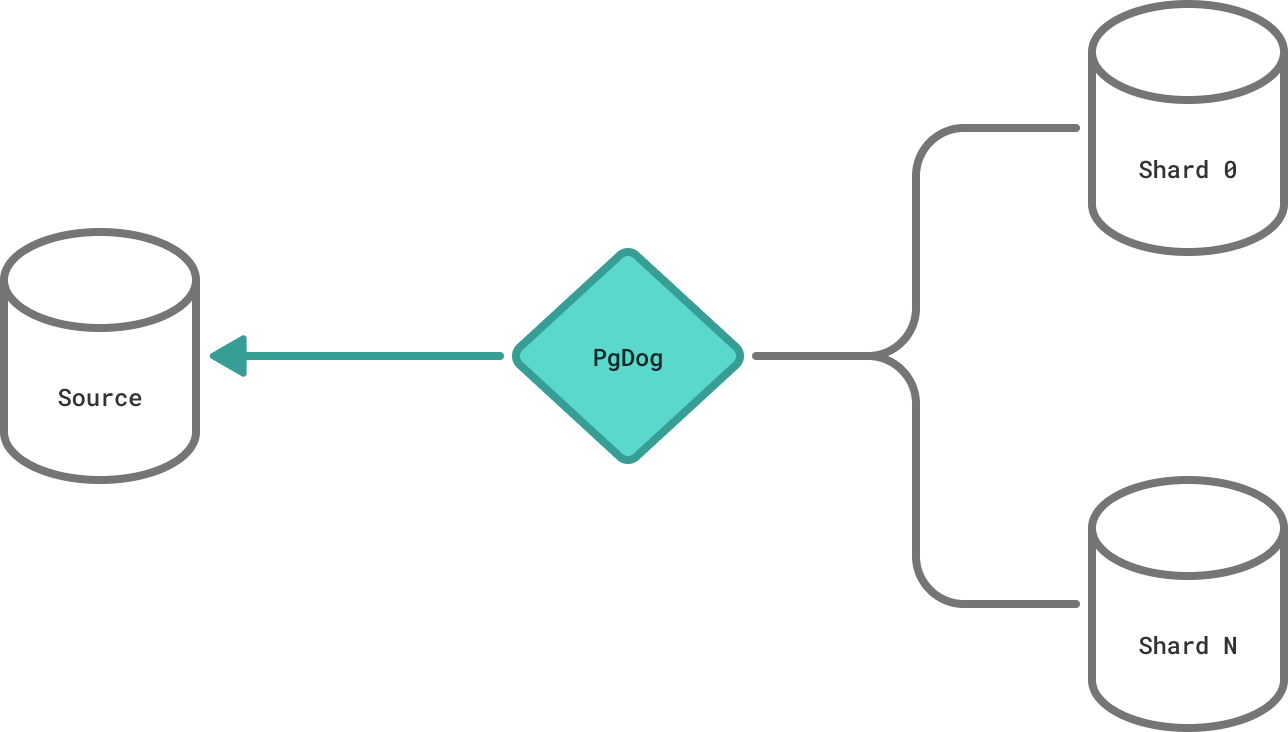
The reverse replication is created while the queries to both databases are paused, so it doesn't require any additional data copying or synchronization.
Resume queries
With the reverse replication setup, it is now safe to move traffic to the destination (now source) database. PgDog does this by turning off maintenance mode, and this step concludes the cutover. The entire process takes less than a second, typically, and allows PgDog to reshard Postgres databases without downtime.